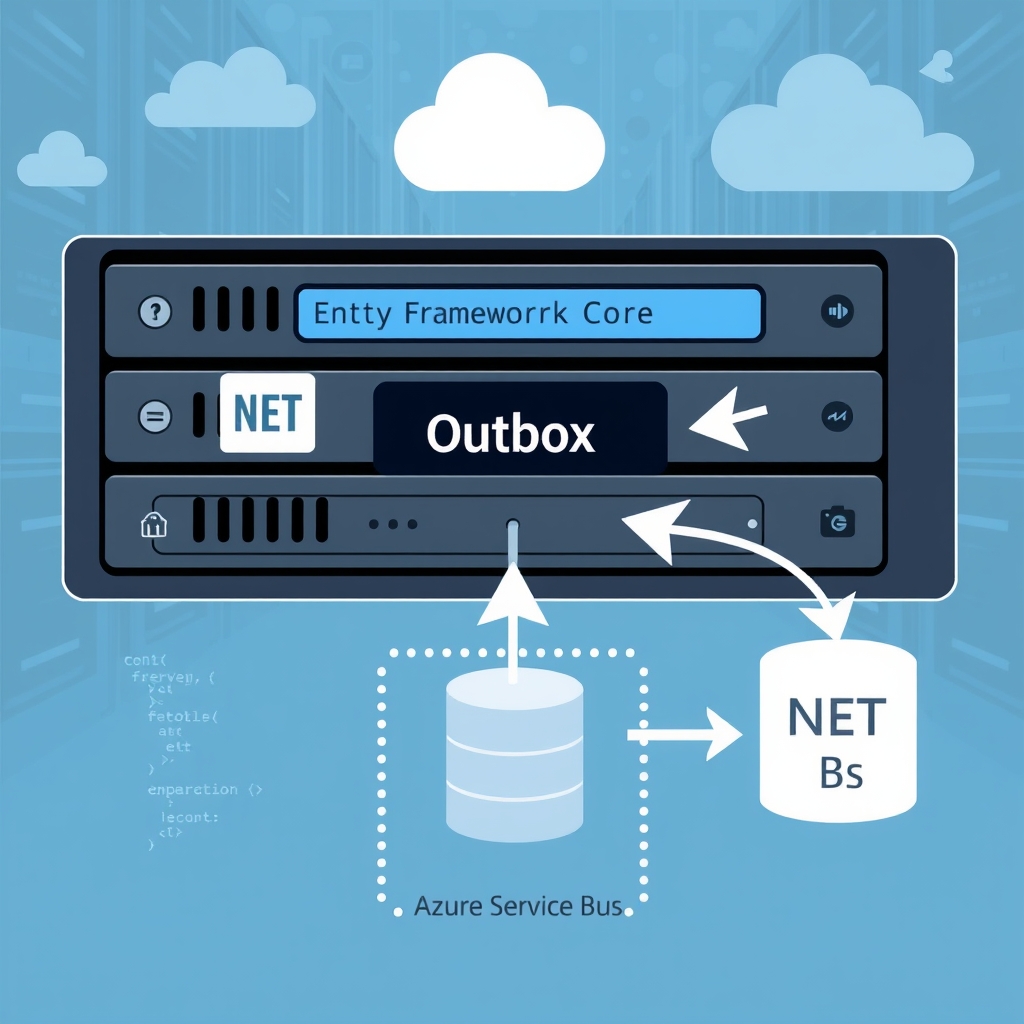
Implementing the Outbox Pattern with Entity Framework Core for Reliable Event Publishing
Quick Answer
Learn how to implement the outbox pattern with EF Core, achieve transactional event publishing, and avoid distributed transaction pitfalls in .NET production systems.
Quick Answer
Implementing the Outbox Pattern with Entity Framework Core: Learn how to implement the outbox pattern with EF Core, achieve transactional event publishing, and avoid distributed transaction pitfalls in .NET production systems.
Dual-Write Desynchronization
In a microservice that writes an order and immediately emits an OrderCreated event, a missing outbox row silently desynchronizes downstream systems. The failure is not in the broker but in the missing atomicity between the relational write and the message enqueue. Implementing the Outbox Pattern with Entity Framework Core guarantees that the event is persisted in the same transaction as the domain state, eliminating the classic dual‑write pitfall without resorting to XA or distributed transactions.
Real‑World Example
Consider a retail platform that processes 10k orders per minute. Each order is stored in Azure-openai-service-vs-gpt4-api-for-net-microservices-a-deepdive-for-architects-20260830" class="internal-link">Azure SQL and must trigger a OrderCreated event consumed by fulfillment, analytics, and marketing services. Without an outbox, a 0.5% broker failure rate translates to hundreds of missed events per hour, forcing manual reconciliations and eroding SLAs.
Trade‑offs
- Latency vs. Consistency: Persisting the event in the same transaction adds ~2–3 ms per write, acceptable for most e‑commerce flows but noticeable in ultra‑low‑latency payment gateways.
- Complexity vs. Reliability: Introducing a background worker and a dedicated outbox table increases operational surface but removes the need for distributed transaction coordinators.
- Storage vs. Performance: Storing raw JSON payloads inflates the outbox size; using compressed columns or binary serialization can mitigate disk growth but adds deserialization overhead.
- Idempotency vs. Throughput: Ensuring idempotent consumers requires message identifiers; this extra metadata slightly enlarges each event but prevents duplicate processing when the worker retries.
- Single‑Provider vs. Multi‑Provider: Relying on a single database for both state and outbox simplifies deployment but couples the broker to the same I/O subsystem; a separate log store can decouple them at the cost of cross‑system consistency.
Scenario‑Based Approach & Considerations
| Scenario | Recommended Approach | Key Considerations |
|---|---|---|
| High‑volume, low‑latency e‑commerce | EF Core outbox + Service Bus with transactional send | Keep batch size < 200, use READ COMMITTED SNAPSHOT, monitor backlog |
| Fintech payment gateway with sub‑second latency | In‑process event dispatch with outbox as a safety net | Publish to broker in the same transaction using Service Bus sessions, fall back to outbox on failure |
| Multi‑tenant SaaS with isolated schemas | Shared outbox table + tenant partitioning | Index on TenantId, lockless polling with SKIP LOCKED, per‑tenant dead‑lettering |
| Legacy monolith migrating to microservices | Outbox + message bus bridge | Wrap legacy writes in a unit of work, publish to a Kafka topic via a bridge process |
| Low‑traffic internal service | Direct broker call without outbox | Accept the 0.1% failure risk, keep code simpler |
When This Fails in Production
- Publisher crashes after broker send but before DB update: The event is re‑published, causing duplicates. Fix: use broker transactions or a "publish‑then‑mark" pattern that records the broker's message ID and only clears the outbox after acknowledgment.
- Backlog grows beyond retention window: Query performance degrades, leading to read‑side stalls. Fix: schedule nightly cleanup jobs that delete in batches of 10k, or move the outbox to a dedicated read‑optimized database.
- Schema evolution blocks pending rows: Adding a non‑nullable column without a default stalls all pending events. Fix: add nullable columns first, back‑fill, then alter to NOT NULL in a subsequent migration.
- Deadlock storms at high write rate: The worker reads while writers hold locks. Fix: enable READ COMMITTED SNAPSHOT on SQL Server or use FOR UPDATE SKIP LOCKED in PostgreSQL; also consider sharding the outbox by tenant or shard key.
Common Mistakes Engineers Make
- Assuming the outbox table is a drop‑in replacement for a message broker; it is only the write‑ahead log.
- Not isolating the worker with a distributed lock, leading to duplicate publishes.
- Using a single, large batch that overwhelms the database and broker, causing timeouts.
- Neglecting to index
IsProcessedandCreatedAt; queries become linear scans as the table grows. - Relying on
SaveChangesAsyncalone without explicit transaction handling when multiple DbContexts are involved.
Better Approach Based on Experience
In production environments, I prefer a two‑layered strategy:
- Transactional outbox for guaranteed atomicity; keep the table lean with only essential columns.
- Broker‑side transaction (e.g., Service Bus
SendAsyncinside aTransactionScope) so that the broker acknowledges before the worker marks the row. This eliminates the “send‑then‑mark” race condition. - Idempotent consumers that store processed message IDs in a distributed cache with a TTL matching the outbox retention.
- Dedicated outbox database in high‑throughput scenarios to isolate write I/O from the main application database.
- Observability hooks that surface backlog size, publish latency, and retry counts as metrics.
Performance Considerations
- Batch size < 5% of the database’s TPS keeps lock contention low.
- Use
FOR UPDATE SKIP LOCKED(PostgreSQL) orREAD COMMITTED SNAPSHOT(SQL Server) to avoid readers blocking writers. - Compress JSON payloads with
varbinary(max)orjsonbwhen the schema is stable and space is a concern. - Index
IsProcessed,CreatedAt, andTenantId; avoid covering indexes that include the payload column. - Leverage
RETURNINGin PostgreSQL to fetch deleted rows without an extra round trip.
Scaling Notes
- Scale the publisher horizontally by partitioning the outbox on
TenantIdor aShardKeyand having each worker process only its slice. - Use a distributed lock (Azure Blob lease, etc.) when you cannot partition; keep the lock duration short (≤5 s) to avoid bottlenecks.
- For global scale, move the outbox to a dedicated message log (Kafka, Azure Event Hubs) and use a lightweight SQL proxy for reads.
- Monitor the
outbox.pendinggauge; when it spikes above 10k rows, trigger an alert for downstream outages.
Implementation Outline
Outbox Table Schema (SQL Server / PostgreSQL)
CREATE TABLE Outbox (
    Id               BIGSERIAL PRIMARY KEY,
    AggregateId      UUID NOT NULL,
    EventType        VARCHAR(200) NOT NULL,
    Payload          JSONB NOT NULL,
    CorrelationId    UUID NOT NULL,
    CreatedAt        TIMESTAMPTZ NOT NULL DEFAULT now(),
    ProcessedAt      TIMESTAMPTZ,
    IsProcessed      BOOLEAN NOT NULL DEFAULT FALSE,
    RetryCount       INT NOT NULL DEFAULT 0,
    LastError        TEXT
);
CREATE INDEX IX_Outbox_Pending ON Outbox (CreatedAt) WHERE NOT IsProcessed;
Domain Operation with EF Core
public async Task CreateOrderAsync(CreateOrderDto dto, CancellationToken ct)
{
    await using var tx = await _db.Database.BeginTransactionAsync(ct);
    var order = new Order{ Id=Guid.NewGuid(), CustomerId=dto.CustomerId, Total=dto.Total, Status=OrderStatus.Pending, CreatedAt=DateTime.UtcNow };
    _db.Orders.Add(order);

    var evt = new OrderCreated{ OrderId=order.Id, CustomerId=order.CustomerId, Total=order.Total, OccurredAt=DateTime.UtcNow };
    var outbox = new OutboxEntry{ AggregateId=order.Id, EventType="OrderCreated", Payload=JsonSerializer.Serialize(evt), CorrelationId=Guid.NewGuid() };
    _db.Outbox.Add(outbox);

    await _db.SaveChangesAsync(ct);
    await tx.CommitAsync(ct);
    return Result.Success();
}
Background Publisher (Hosted Service)
public class OutboxPublisher : BackgroundService
{
    private readonly IServiceScopeFactory _scopeFactory;
    private readonly IMessageBus _bus; // abstraction over Service Bus / Kafka
    private readonly TimeSpan _pollInterval = TimeSpan.FromSeconds(5);

    protected override async Task ExecuteAsync(CancellationToken stoppingToken)
    {
        while (!stoppingToken.IsCancellationRequested)
        {
            await ProcessBatchAsync(stoppingToken);
            await Task.Delay(_pollInterval, stoppingToken);
        }
    }

    private async Task ProcessBatchAsync(CancellationToken ct)
    {
        await using var scope = _scopeFactory.CreateAsyncScope();
        var ctx = scope.ServiceProvider.GetRequiredService();
        var batch = await ctx.Outbox
            .Where(o => !o.IsProcessed)
            .OrderBy(o => o.CreatedAt)
            .Take(100)
            .ToListAsync(ct);

        foreach (var entry in batch)
        {
            try
            {
                await _bus.PublishAsync(entry.EventType, entry.Payload, ct);
                entry.IsProcessed = true;
                entry.ProcessedAt = DateTime.UtcNow;
            }
            catch (Exception ex)
            {
                entry.RetryCount++;
                entry.LastError = ex.Message;
                // optionally set a NextAttemptAt column
            }
        }
        await ctx.SaveChangesAsync(ct);
    }
}
Observability & Telemetry
outbox.pending– gauge of rows whereIsProcessedis false.outbox.publish.latency– histogram fromCreatedAttoProcessedAt.- Exception telemetry enriched with
RetryCountandEventTypedimensions.
Checklist for Your First Outbox Implementation
- Define the outbox schema with minimal columns and proper indexes.
- Wrap domain writes and outbox inserts in a single EF Core transaction.
- Deploy a hosted service that polls
WHERE NOT IsProcessedusingSKIP LOCKEDor snapshot isolation. - Implement idempotent consumers that track processed message IDs.
- Set up metrics for backlog size, publish latency, and retry counts.
- Schedule nightly cleanup jobs that delete processed rows in small batches.
- Test failure scenarios: broker crash after send, worker crash after DB update, schema migration edge cases.
- Monitor lock contention and adjust batch size or isolation level accordingly.
- Document the retry policy and dead‑letter handling strategy.
- Iterate: start with a single tenant, then add tenant partitioning or sharding as load grows.
Related Articles
- Self-Attention vs. Cross-Attention in .NET RAG: Architectural Trade‑offs You Must Know
- Designing a Distributed Task Queue Architecture for Code Execution at Scale
- Azure OpenAI Service vs GPT‑4 API for .NET Microservices: A Deep‑Dive for Architects
- Building a Production Agent Harness in ASP.NET Core: The Five‑Layer Blueprint
- Using evals as release gates for LLM changes in .NET CI/CD pipelines