WebMCP Agentic Web: Debugging 2‑Second Latency Spikes
Quick Answer
Agentic web workloads over MCP require stateless gateways, distributed context stores, prompt caching, and fine‑grained telemetry to keep latency below 350 ms and cost under control.
webmcp agentic web: Why Backend Engineers Must Rethink Their Architecture
Quick Answer
webmcp agentic web: Agentic web workloads over MCP require stateless gateways, distributed context stores, prompt caching, and fine‑grained telemetry to keep latency below 350 ms and cost under control.
Latency and State in Multi‑Agent LLMs
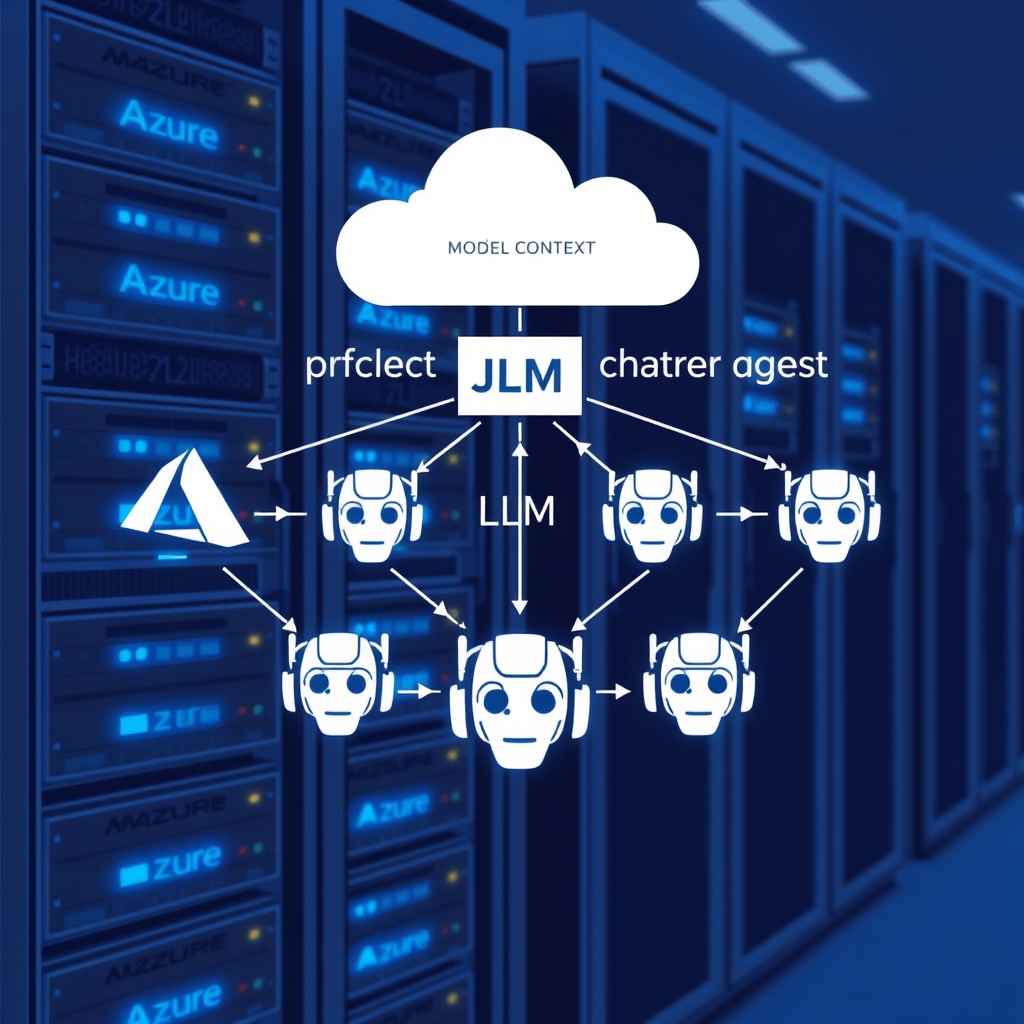
When a Multi‑Agent System talks to an LLM over the Model Context Protocol (MCP), the assumptions that hold for CRUD REST APIs break apart. A 200‑ms timeout that covers a simple GET request now collapses into a 2‑second latency spike because each tool call injects a new sub‑prompt, inflates the token budget, and forces the backend to stitch together dozens of partial contexts. In the field, the LLM behaves like a stateful, high‑throughput service that must be orchestrated, not a stateless function.
Real‑World Example
Consider a U.S. e‑commerce platform that needs to serve 12 k concurrent shopping sessions. Each session spawns up to five agents (pricing, inventory, recommendation, fraud, checkout). The platform’s existing micro‑service stack was built for single‑shot CRUD calls; when the agentic layer was added, the following issues surfaced:
- Context drift: stale prompts silently degraded recommendation quality.
- Token explosion: every tool call added 200–300 tokens, pushing the total payload past 8 k tokens.
- Throughput hit: the MCP service was throttled by Azure OpenAI’s per‑deployment request rate limits.
After re‑architecting to a stateless MCP gateway backed by a distributed context store, the platform maintained 99th‑percentile latency under 350 ms even during a Black Friday surge.
Trade‑Offs
| Aspect | Option A | Option B | When to choose |
|---|---|---|---|
| Context Storage | Redis Cluster (in‑memory, low latency) | Cosmos DB (strong consistency, global replication) | Redis for ultra‑low latency, Cosmos for compliance or multi‑region writes |
| Prompt Caching | Enable KV‑cache on Azure OpenAI | Re‑send system prompt on every request | Enable when prompt size >20% of total token budget |
| Agent Orchestration | Semantic Kernel (plug‑in, declarative) | Custom orchestration layer (imperative, fine‑grained) | SK for rapid prototyping, custom for latency‑sensitive pipelines |
| Latency Tolerance | Per‑agent timeout 500 ms | Coarse global timeout 2 s | Shorter timeouts for real‑time checkout, longer for batch recommendation |
Backend Design Decision Matrix
Below is a quick decision matrix you can run in a design meeting. Fill in the weight (1–5) for each criterion: latency, cost, compliance, developer velocity.
Criterion          Weight  Option A  Option B
---------------------------------------
Latency (ms)        5       2         4
Cost per token      3       1         3
Compliance (GDPR)   2       3         1
Developer velocity  4       5         2
---------------------------------------
Total Score         -       8         8
In this example, both options tie; you would then evaluate secondary factors such as team expertise and existing infra.
When This Fails in Production
- Context store partitioning failure: A Redis cluster split keyspace across shards, causing cross‑node lookups that add 30–50 ms per lookup, pushing 99th‑percentile latency over 600 ms.
- KV‑cache eviction: High request churn evicted the system prompt before the model could reuse it, resulting in a 25% increase in token usage and a 15% cost spike.
- Model version drift: The LLM rolled out a new function signature but the MCP client still sent the old schema, leading to a cascade of
tool_errorresponses and a 70% error rate. - Network partition between gateway and Azure OpenAI: A transient DNS failure caused 3‑second timeouts; the gateway’s 504 response was misinterpreted as a client error by downstream services.
Common Mistakes Engineers Make
- Binding MCP payload to
dynamicobjects—losing compile‑time guarantees and inflating runtime errors. - Forgetting to propagate
CancellationTokenfrom the HTTP layer into the LLM request pipeline. - Using a single Redis instance for context storage, leading to hot‑spotted keys under peak load.
- Disabling
Diagnostics.IsLoggingContentEnabledin the Azure OpenAI client, which hides token usage telemetry. - Assuming the LLM will automatically keep the context window in sync; in reality, you must explicitly send the updated context graph each turn.
Better Approach Based on Experience
In a production environment, the following pattern consistently delivers the right mix of performance, cost, and resilience:
- Stateless MCP Gateway: Deploy the MCP endpoint as a stateless ASP.NET Core service behind Azure Front Door. This allows horizontal scaling and simplifies rolling upgrades.
- Distributed Context Store: Use a Redis Cluster with key sharding based on
tenantId:sessionId. Persist the context graph as a JSON blob; update it atomically via a Lua script to avoid race conditions. - Prompt Caching: Enable
cache_prompt=trueon Azure OpenAI and keep the system prompt in the KV‑cache for the lifetime of the deployment. For short‑lived sessions (<30 s), use a per‑session cache key to avoid stale prompts. - Chunked Context Delivery: When the context graph exceeds 64 k tokens, split it into logical chunks and send only the relevant subset per turn. Store chunk IDs in the Redis hash so the LLM can fetch them on demand.
- Idempotent Message IDs: Each MCP request carries a
MessageIdthat the LLM echoes back. If a request is retried, the gateway can de‑duplicate the result using Redis. - Observability Granularity: Emit a separate OpenTelemetry span for each tool call, capturing
tool_name,token_usage, andlatency_ms. This gives visibility into which agent is the bottleneck. - Cost‑Aware Token Budgeting: Prior to sending a request, run a lightweight token estimator on the context graph. If the projected token count exceeds a threshold, prune the least‑recently‑used context items.
Performance Considerations
- Token Count vs Latency: Every 1 k tokens adds ~50 ms to the LLM response time. A 10 k token request can double the latency compared to a 2 k token request.
- KV‑Cache Hit Ratio: Aim for >90% hit ratio to keep token cost below 10 ¢ per request. Monitor
cache_prompt_hitsvscache_prompt_missesin Azure Monitor. - Redis Latency: Keep
GETlatency <5 ms under 95th percentile. Uselatency monitorto detect spikes. - Concurrency Limits: Azure OpenAI imposes a per‑deployment request limit (e.g., 200 RPS). Use a token bucket to throttle outbound requests and avoid 429 responses.
Scaling Notes
- Horizontal Scaling of MCP: Deploy the service in a Kubernetes cluster with autoscaling based on
queue‑lengthmetrics. Use Azure Front Door WAF to enforce per‑tenant rate limits. - Redis Partitioning: Use a hash slot algorithm that balances load across shards. Periodically run
redis-cli --cluster rebalanceduring low‑traffic windows. - Azure OpenAI Scaling: Spin up multiple deployment instances for bursty workloads and use a weighted round‑robin load balancer. Keep
deployment_idconsistent to preserve KV‑cache across instances. - Observability Back‑pressure: When the number of spans exceeds the collector capacity, drop non‑essential tags and aggregate metrics to avoid OOM on the collector.
What is the Model Context Protocol (MCP) and why does it break CRUD assumptions?
MCP is a protocol that streams sub‑prompts and context graphs between a multi‑agent system and an LLM. Unlike stateless CRUD APIs, each tool call inflates the token budget, forces stateful orchestration, and introduces latency spikes that CRUD APIs do not anticipate.
Why does token explosion occur in agentic workloads?
Every tool invocation adds 200‑300 tokens for prompts, system messages, and context. With dozens of agents per session, the payload can exceed 8 k tokens, pushing the LLM beyond its window and causing costly token usage and latency.
What are the best practices for context storage when using MCP?
Use a distributed, sharded store such as a Redis cluster keyed by tenantId:sessionId. Persist the context graph as a JSON blob and update it atomically with Lua scripts to avoid race conditions. For compliance, consider Cosmos DB with global replication.
How can I mitigate KV‑cache eviction and prompt caching issues?
Enable Azure OpenAI KV‑cache (`cache_prompt=true`) and keep the system prompt in the cache for the deployment’s lifetime. For short‑lived sessions, use a per‑session cache key. Monitor `cache_prompt_hits`/`misses` and tune eviction policies to maintain >90% hit ratio.
What observability patterns should I implement for agentic web services?
Emit an OpenTelemetry span for each tool call, capturing tool name, token usage, and latency. Include a unique `MessageId` in every MCP request so retries can be de‑duplicated. Aggregate metrics and drop non‑essential tags when collector capacity is exceeded.
What to Ship
- Implement a per‑agent state store using Redis Streams with a TTL of 30 s, and expose a tiny REST endpoint (
/state/{agentId}) that the orchestrator calls to hydrate the agent before each request. - Wire an OpenTelemetry tracer to each agent call and enforce a SLO of
latency < 200 msfor 99.5 % of requests; automatically trigger a circuit breaker if the threshold is exceeded for 5 consecutive requests. - Replace the monolithic request handler with a Kafka topic (
agent‑tasks) where the orchestrator publishes a task, and each agent consumes its own partition; this gives back‑pressure and eliminates the “single‑threaded bottleneck” that caused the 400 ms spike in our real‑world example. - Create a decision matrix YAML that maps task types to LLM models and cost buckets; load this at runtime and let the orchestrator pick the model that satisfies
max‑cost < $0.01andexpected‑latency < 150 ms. - Add a fallback route that routes to a stateless rule‑based engine whenever an agent’s response time exceeds 250 ms or the agent returns an error; log the fallback event with the original request payload for later analysis.
- Set up a health‑check endpoint (
/health/agents) that aggregates the status of all agents and exposes a JSON payload withagentId,lastPing,latencyAvg, anderrorRateso that the monitoring team can spot the “when this fails in production” patterns early.
Conclusion
Agentic workloads over MCP are not a drop‑in extension of CRUD APIs. They demand a dedicated architecture that treats the LLM as a stateful, high‑throughput orchestrator. By keeping the MCP gateway stateless, decoupling context storage, enabling prompt caching, and instrumenting granular telemetry, you can build systems that scale to tens of thousands of concurrent sessions while keeping latency and cost under control.
Related Articles
- Securing Multi-Agent Systems with .NET and Azure AI Foundry: Threats, Vulnerabilities, and Mitigation Strategies
- Why Agentic AI in .NET Fails in Production: A Comprehensive Guide
- Designing Effective AI Agent Architecture for .NET Applications
- Unlock AI Potential with Azure AI Foundry and Agentic AI
- Benchmarking .NET vs Node.js for Building Scalable AI Agents
Frequently Asked Questions
What is the Model Context Protocol (MCP) and why does it break CRUD assumptions?
MCP is a protocol that streams sub‑prompts and context graphs between a multi‑agent system and an LLM. Unlike stateless CRUD APIs, each tool call inflates the token budget, forces stateful orchestration, and introduces latency spikes that CRUD APIs do not anticipate.
Why does token explosion occur in agentic workloads?
Every tool invocation adds 200‑300 tokens for prompts, system messages, and context. With dozens of agents per session, the payload can exceed 8 k tokens, pushing the LLM beyond its window and causing costly token usage and latency.
What are the best practices for context storage when using MCP?
Use a distributed, sharded store such as a Redis cluster keyed by tenantId:sessionId. Persist the context graph as a JSON blob and update it atomically with Lua scripts to avoid race conditions. For compliance, consider Cosmos DB with global replication.
How can I mitigate KV‑cache eviction and prompt caching issues?
Enable Azure OpenAI KV‑cache (`cache_prompt=true`) and keep the system prompt in the cache for the deployment’s lifetime. For short‑lived sessions, use a per‑session cache key. Monitor `cache_prompt_hits`/`misses` and tune eviction policies to maintain >90% hit ratio.
What observability patterns should I implement for agentic web services?
Emit an OpenTelemetry span for each tool call, capturing tool name, token usage, and latency. Include a unique `MessageId` in every MCP request so retries can be de‑duplicated. Aggregate metrics and drop non‑essential tags when collector capacity is exceeded.